Multi-cluster
One Sealane install can manage several clusters. The cluster Sealane runs in is always available as local; remote clusters are added by pasting a kubeconfig. No Sealane workload runs on the target clusters, but the default registration creates an account there: RBAC objects and a long-lived token (see below).
Registering a cluster
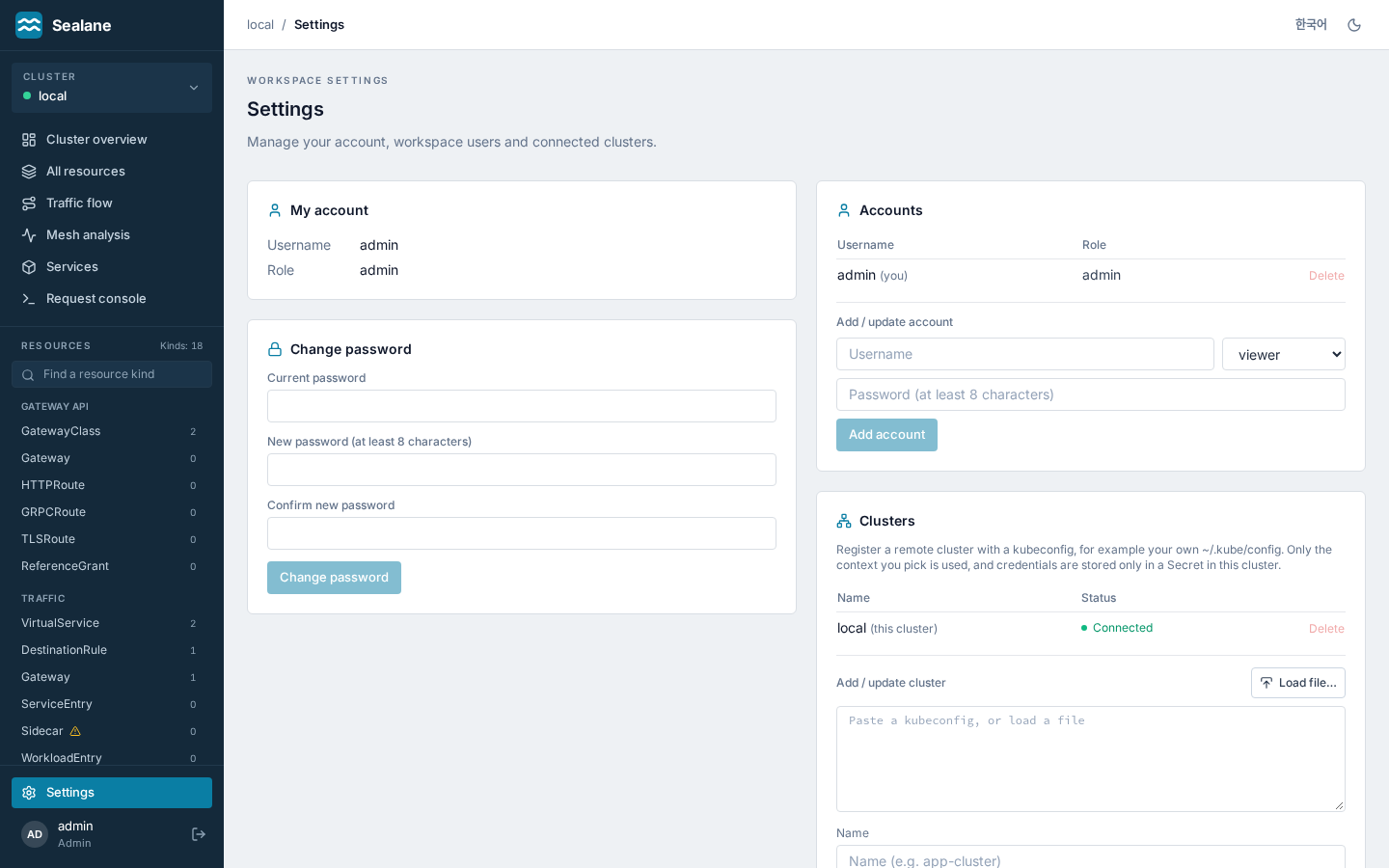
As admin, go to settings → cluster management and paste a kubeconfig or load it from a file. Your own ~/.kube/config is fine: pick the context of the cluster to add, and the name is filled in from it (change it if you like). Only that context is used; the other contexts and credentials in the file are dropped before anything is stored.
By default Create a dedicated Sealane account on the cluster is on, which works like argocd cluster add. Sealane uses the pasted credentials once to create, on the target cluster:
| Object | Name |
|---|---|
| Namespace | sealane-remote |
| ServiceAccount | sealane in sealane-remote |
| ClusterRole and ClusterRoleBinding | sealane-remote: the rights the chart gives the local ServiceAccount (request tester excluded); read-only on the managed kinds when impersonation mode is on |
| ClusterRole and ClusterRoleBinding | sealane-remote-cleanup: lets the account delete exactly these objects, so deleting the registration can remove it |
| Token Secret | sealane-remote-token (a long-lived ServiceAccount token) |
| With impersonation mode on | sealane-remote-impersonator and sealane-remote-writer, as the chart renders them |
It then stores a kubeconfig that logs in with that token, never the credentials you pasted. Those need the rights to create namespaces, cluster roles and bindings, typically a cluster admin. Registering again refreshes the objects; with impersonation mode off it also removes the impersonation roles an earlier registration added. If creating them fails on a first registration, or the kubeconfig cannot be stored afterwards, Sealane removes what it made and stores nothing. A proxy-url in the pasted kubeconfig is kept in the stored one.
Registering under a name that is already taken replaces its stored kubeconfig. If that name pointed to another cluster through a dedicated account, delete it with the account removal option first, or that account stays on the other cluster. Clear the checkbox to store the chosen context as it is instead; Sealane can then do exactly what its credentials allow.
A pasted kubeconfig must carry its credentials inline: one that points to files (certificate-authority, client-certificate, client-key, tokenFile) or runs a credential plugin is refused, and the server must be https://.
A connectivity test runs on registration and the result is shown next to the cluster. The cluster is saved even if the test fails (it may just be briefly unreachable), so check the status after registering. The settings page lists every cluster with its connection status and Kubernetes version.
Deleting a cluster
Deleting a cluster always removes its stored kubeconfig. What happens on the cluster depends on how it was registered:
- With the dedicated account: the delete dialog offers Also remove Sealane's account from the cluster, checked by default. Sealane then uses the stored token to delete its cluster role bindings, cluster roles and the
sealane-remotenamespace, which takes the ServiceAccount and its token with it. Only thesealane-remote-cleanupcluster role stays, bound to nothing: the account loses its rights once that binding goes, so it cannot remove the role as well. The command below removes it. If the cluster cannot be reached, or refuses the stored token (Sealane then cannot tell whether its account is still there), nothing is deleted and the registration stays; try again later, or delete without the option and check or remove the account yourself on the cluster:
kubectl delete clusterrolebinding,clusterrole,namespace -l app.kubernetes.io/managed-by=sealane
- With pasted credentials: Sealane only forgets them. They stay valid on the cluster, so revoke them there if they should stop working.
The API behind it is admin-only: GET /api/clusters (?status=true adds connection state; dedicated marks clusters registered with the account), PUT /api/clusters/{name} (register or replace, with the connectivity test) and DELETE /api/clusters/{name} (?cleanup=true removes the account first).
Where credentials live
Kubeconfigs are stored in the sealane-clusters Secret in Sealane's namespace (the name comes from the clustersSecret value), one key per cluster name. The Secret is not managed by Helm, so upgrades and helm uninstall keep it; delete it yourself for a full cleanup. Sealane's ServiceAccount can read and patch only that Secret (it may also create Secrets in its namespace, because Kubernetes RBAC cannot limit create by name).
You can edit it with kubectl as well; a key is a cluster name and its value is the kubeconfig.
Switching clusters
The cluster picker at the top of the sidebar switches the current cluster and shows whether its API answers (on phones it sits at the top of the navigation drawer). Every API call takes a ?cluster= parameter (default local). The CRD catalog and schema caches are kept per cluster, so clusters with different CRDs installed (Istio only, Gateway API only, different versions) are handled safely; each cluster shows only the kinds it has.
Limits
localis reserved and cannot be modified or deleted. Names start with a letter or digit and contain only letters, digits,-,.and_(at most 64 characters).- On a remote cluster Sealane can do exactly what the stored credentials allow; the chart's RBAC applies only to the local cluster. The dedicated account above gets the same rights as the local ServiceAccount. In impersonation mode it also needs to impersonate
sealane:adminandsealane:editor, and those identities need bindings on the target: the dedicated account setup creates both when the mode is on, so register the cluster again whenever you turn the mode on or off (and before rolling Sealane back to 1.18 or earlier with the mode on): the account's own rights follow the mode at registration, read-only with the mode on. - The image is distroless and contains no cloud CLIs, so kubeconfigs that rely on an
execcredential plugin (for exampleaws eks get-tokenorgke-gcloud-auth-plugin) are refused with a message saying so, and so are files referenced by path. Use a kubeconfig with a token or client certificate inline. For such clusters, create the account yourself with the objects in the table above and register a kubeconfig with its token. - App roles are global: an
editorcan write on every registered cluster.